Article
Why Cloud AI is Better Than Browser AI for Document Photos
Server-side we run compliance checks and report lighting issues so you can retake — we don't alter your face.
Written by the pixid.studio compliance team, verified against official government and consulate photo requirements as of February 2025. See State Department and ICAO Doc 9303; country-specific requirements for more official links.
The Problem Browser AI Can't See
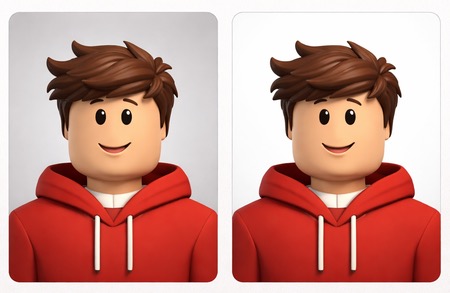
You've taken what looks like a decent photo. Good lighting. Plain background. Face centered. You upload it to a free browser-based photo editor, and seconds later, you get back what appears to be a perfectly acceptable passport photo.
You submit it with your visa application.
Two weeks later: rejected.
The reason? A faint highlight on your forehead that you didn't notice. A slight shadow under your chin. A background that looks white to your eye but registers as light grey to the automated verification system.
These aren't edge cases. They're the most common reasons document photos get rejected. U.S. and EU rules require a true likeness — we don't alter your face to "fix" highlights or shadows. Instead, we run the same compliance checks consulates use and tell you in the Compliance Report if your photo would fail, so you can retake with better lighting before you submit.
Here's why server-side checks matter.
What Browser AI Actually Runs On
When you use a "free AI photo editor" that runs entirely in your browser, you're using a stripped-down model that's been compressed to run on your phone or laptop without crashing the tab.
These models are small by necessity — typically 5 to 20 megabytes. Server-side we run full compliance pipelines: geometry, photometry (highlights, shadows, color), biometrics. We don't "fix" your face — we crop, remove the background, and set dimensions to the published spec, then run checks. If your photo fails (e.g. highlight too bright), we report it so you can retake.
The difference: browser tools often can't even detect these problems. We run the same logic consulates use and tell you before you submit.

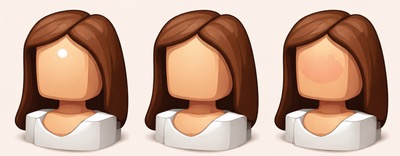
This second visual shows the same workflow as a simple architecture comparison, so the quality differences are easier to spot.
The Lighting Problems Browser AI Can't Fix
Document photo verification systems — the automated scanners used by passport offices, consulates, and visa processing centers — don't evaluate photos the way humans do. They run pixel-level analysis looking for specific technical flaws. And the three most common causes of rejection are all lighting-related:
1. Specular highlights (shiny spots)
Specular highlights are bright spots on your skin caused by direct light reflecting off oily or moist areas — usually the forehead, nose, or cheeks. To the human eye, they look like a natural part of the photo. To an automated scanner, they register as overexposed areas that obscure facial features.
Why browser AI often misses this: Detecting highlights at the same thresholds consulates use requires full photometric checks. Browser tools often can't run these reliably.
What we do: U.S. and EU rules require a true likeness — we don't alter your face to "fix" highlights. We run the same photometric checks consulates use. If your photo has highlights above the threshold, our Compliance Report tells you so you can retake with better lighting.
2. Shadows under the chin, on the face, or on the background
Shadows are an automatic disqualifier in most document photo specs. Even a faint shadow cast under your chin or along one side of your face can trigger a rejection.
Why browser AI often misses this: Detecting shadows at consulate-grade thresholds requires server-side photometric analysis. Browser tools often pass photos that consulates reject.
What we do: We don't "fix" shadows by brightening your face — that would alter your likeness. We run the same checks consulates use. If your photo has shadows that would cause rejection, we report it in the Compliance Report so you can retake with better lighting.
3. Uneven skin tone and color casts
Lighting conditions often introduce color casts — a slight yellow tint from indoor lighting, a blue tint from window light, or uneven skin tone caused by one-sided illumination. These aren't always visible to the human eye, but automated systems flag them.
Why browser AI often misses this: Full color and photometric checks require the same logic consulates use. Browser tools rarely run these.
What we do: We don't alter your face to "normalize" skin tone — that would change your likeness. We run photometric checks. If your photo would fail at the consulate (e.g. color cast, uneven exposure), we tell you in the Compliance Report so you can retake.
Why Lighting Issues Cause Rejection — We Check and Report
Consulates run automated checks: pixel-level thresholds for highlights, shadows, and color. If your photo fails, they reject it. U.S. and EU rules require a true likeness — so we don't alter your face to "fix" lighting. Instead, we run the same checks consulates use.
Here's what server-side gives you that browser tools often can't:
- Photometric checks. We run the same highlight, shadow, and exposure thresholds that consulates use. If your photo has hot spots, shadows, or uneven lighting that would cause rejection, we detect it.
- Compliance Report. We tell you exactly what failed — so you can retake with better lighting before you submit. No surprise rejections.
- No face editing. We only crop, remove the background, and set dimensions to the published spec. Your face stays as in the original — true likeness.
- Geometry and biometric checks. Head size, position, background — the full pipeline that browser tools often simplify or skip.
Running these checks accurately requires server-side compute. Browser tools often can't run them reliably — or they "fix" the face (changing your likeness), which document rules don't allow.

Real-World Example: What We Catch That Browser AI Often Misses
Let's walk through what happens when you upload a typical photo with lighting issues to a browser tool versus pixid.studio.
The photo: You took a selfie near a window. The lighting is decent but not perfect. There's a faint highlight on your forehead from the window light, a subtle shadow under your chin, and the background (a white wall) looks slightly off-white due to the color temperature of the natural light.
What a browser-based tool often does:
- Detects your face ✓
- Crops around it ✓
- Removes the background and replaces it with white ✓
- Outputs the file — may not run consulate-grade checks
What it often misses:
- The highlight on your forehead would fail consulate threshold
- The shadow under your chin would fail
- Color cast or background shade — no report, so you don't know until rejection
Result: Rejected by automated verification.
What pixid.studio does:
- Detects your face ✓
- Removes background and replaces with exact shade for your document type
- Crops and resizes to exact dimensions
- Runs full compliance pipeline (geometry, photometry, biometrics)
- If highlight, shadow, or color would cause rejection → Compliance Report tells you so you can retake
- We do not alter your face — true likeness
- Outputs the file when the source photo meets the spec
Result: You know before you submit. Retake if needed; no surprise rejections.
Why This Matters for Official Documents
You might be thinking: "Does all this technical detail really matter? It's just a passport photo."
It matters because official document verification has become ruthlessly automated. Ten years ago, a human officer would glance at your photo, and if it looked reasonable, they'd approve it. Today, your photo is scanned by software before a human ever sees your application. And that software doesn't forgive highlights, shadows, or color imbalances.
A rejected document photo means:
- Resubmitting your application (if allowed)
- Paying reprocessing fees ($50–$150 in many countries)
- Delaying your travel plans by weeks or months
- Potentially losing non-refundable flight or hotel bookings
All because a free browser tool didn't run the same checks the consulate runs — so you didn't know your photo would fail.
We run those checks and tell you in the Compliance Report. If your photo would fail, you retake with better lighting before you submit. We don't alter your face — true likeness.
What Server-Side Gives You (That Browser AI Often Can't)
Beyond reliable crop and background removal, server-side gives you:
- Full compliance pipeline. Geometry (head size, position), photometry (highlights, shadows, color), biometric checks — the same logic consulates use. Browser tools often simplify or skip these.
- Compliance Report. We tell you exactly what would fail — so you can retake before you submit. No face editing: we only crop, resize, and set background.
- Background replacement to spec. Country-specific background shades (white, grey, blue) — we match the exact requirement. Browser tools often default to pure white.
- True likeness. U.S. and EU rules require it. We don't alter your face to "fix" lighting — we check and report so you can retake.
The Cost-Benefit Calculation
Yes, browser-based tools are free. But "free" isn't actually free if it costs you a rejected application, lost time, and rebooking fees.
pixid.studio charges a small fee — typically a few dollars per photo. In exchange, you get:
- Full compliance checks (geometry, photometry, biometrics) — same logic consulates use
- Compliance Report — we tell you if your photo would fail (highlights, shadows, color) so you can retake; we don't alter your face
- Country-specific specs against 60+ document types
- A guarantee: if the photo is rejected, we redo it for free
The math isn't complicated. Paying a few dollars to avoid a $150 reprocessing fee and a three-week delay is a rational choice.
The Bottom Line
Browser-based AI is impressive for what it is — a lightweight, fast, free tool that can handle basic photo cropping and background removal.
But document photos aren't basic. They're subject to strict, automated verification that looks for technical flaws: specular highlights, shadows, color imbalances. U.S. and EU rules require a true likeness — so we don't alter your face to "fix" these. We run the same checks consulates use and tell you in the Compliance Report if your photo would fail, so you can retake with better lighting.
We're better because we run the checks that matter — and we tell you before you submit. We don't alter your face.
Ready to get your compliant photo?
Choose your country and document type, then upload your photo. We'll handle cropping, background, and compliance.
Choose document & get photo →