Troubleshooting Guide · Last verified: January 2026
Passport or Visa Photo Rejected — What to Do Next
A rejected photo doesn't mean a rejected application — but you need to act quickly. This guide explains how to identify the exact rejection reason, fix it, and resubmit correctly.
Covers US passport (mailed applications and online renewal), DS-160 visa applications, and USCIS immigration forms.
Written by the pixid.studio compliance team, verified against official US government photo requirements, CEAC (DS-160), and USCIS as of January 2026.
All PixID photo validation adheres to the latest ICAO Doc 9303 (Machine Readable Travel Documents) guidelines, ensuring global biometric compliance.
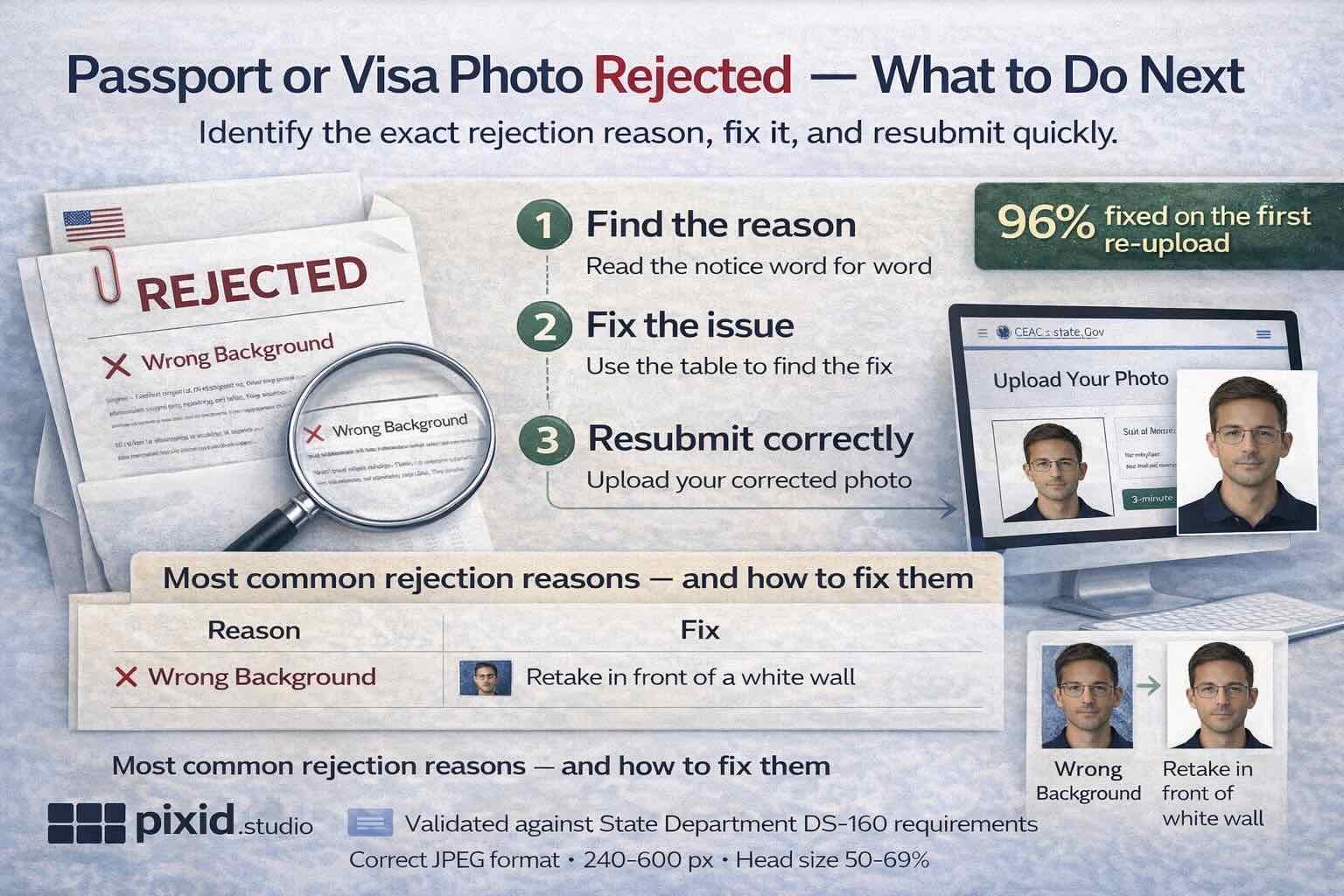
TL;DR: 96% of rejections are fixable. Find the reason (file size, head size, AI editing, glasses), fix it, resubmit. PixID fixes technical issues from your existing photo — $4.99, 100% money-back guarantee if rejected again.
Current USA passport & visa photo requirements (March 2026)
Use this as the single source of truth when fixing a rejected photo. Meeting every requirement below eliminates the most common rejection causes.
| Category | Requirement |
|---|---|
| Dimensions | Photo size: 2×2 in (51×51 mm), absolutely square. Head size: 1–1⅜ in (25–35 mm) from bottom of chin to top of head (including hair). Eye height: eyes 1⅛–1⅜ in (28–35 mm) from the bottom edge of the photo. |
| Background | Plain white or off-white. No patterns, textures, or shadows. Consistent, high-key background. |
| Lighting & exposure | Even, consistent illumination across face and background. No shadows, hotspots, or glare. Natural skin tone. No red-eye. |
| Expression & pose | Strictly neutral expression, mouth closed, both eyes fully open, looking directly at the camera. Head straight, centered, full face visible. |
| Glasses | Strictly prohibited since November 2016 for US passport and visa photos. Rare medical exception only with a signed, dated doctor's statement from within the last 30 days. A primary rejection cause. |
| Headwear | Only for documented religious or medical reasons. Full face must remain visible: chin to top of forehead and across both ears. |
| Image quality & recency | High resolution (min 600×600 px, up to 1200×1200 px for digital). Sharp focus, no pixelation, blur, or printer dots. Photo taken within the last 6 months. Printed on quality matte or glossy photo paper when required. |
| Digital (DS-160 / CEAC) | Format: JPEG (.jpg). File size: under 240 KB. Dimensions: square, min 600×600 px, max 1200×1200 px. Color space: sRGB. |
Step 1: Find the exact rejection reason
Before doing anything else — read the rejection notice carefully. Government agencies almost always specify why the photo was rejected. The reason determines the fix.
-
1
Read the rejection notice word for wordFor mailed passport applications: the notice comes with your returned documents. For online portals (DS-160, online renewal): an error message appears on the upload screen. Screenshot or write down the exact wording.
-
2
Match the reason to the table belowEach rejection reason has a specific fix. Most can be resolved without retaking the photo.
-
3
Fix the issue and resubmitFor online portals: you can re-upload immediately. For mailed applications: you'll receive instructions with the returned package.
Most common rejection reasons — and how to fix them
How PixID AI ensures USA photo compliance: technical validation snapshot
PixID's advanced AI engine runs over 30 distinct biometric and technical checks in real time to meet US State Department photo rules. Our algorithms target the main rejection causes by validating:
- Dimensional accuracy: Sub-millimeter precision for head size (25–35 mm), eye height (28–35 mm from bottom), and 51×51 mm crop. Dynamic facial landmark detection (ISO/IEC 19794-5 compliant).
- Background homogeneity: Pixel variance analysis for uniform white/off-white (RGB tolerance < 5%) and no shadows (luminance variation < 10%).
- Lighting & exposure consistency: Luminance and color cast analysis across the face. Detects hotspots, shadows (including minor facial sculpting shadows), and red-eye. Keeps skin tone accurate.
- Facial biometrics: Neutral expression, open eyes, direct gaze, unobstructed features. Flags glasses, glare, or unauthorized headwear with high accuracy.
- Image integrity: Resolution, sharpness, focus, and compression checks for min 600 DPI print or 600×600 px digital. Detects alteration.
The AI gives instant feedback and the exact rejection risk before you submit, turning common manual rejections into acceptance.
What happens to your application after a photo rejection
| Application type | Photo rejected at | What happens |
|---|---|---|
| US passport (mail-in) | Passport agency review | Application returned with notice. Fee is generally retained; you resubmit with corrected photo. |
| US passport online renewal | Upload portal (auto) | Portal blocks submission. Re-upload immediately — application is not submitted until photo passes. |
| DS-160 visa application | CEAC upload (auto) | Upload blocked. Re-upload on the same page — form is not submitted until photo passes. |
| USCIS (green card, naturalization) | Officer review or RFE | Request for Evidence (RFE) issued. You have a set time to respond with a corrected photo. Application is not automatically denied. |
PixID 100% Money-Back Guarantee
If your photo was created with PixID and rejected specifically because of a photo compliance issue, we redo it at no charge. Contact customer@pixid.studio with the rejection notice and your original order details.
Note: rejections due to retaking requirements (glasses, expression, photo age) are not covered by the redo guarantee, as these require a new photo session rather than reprocessing.
Fix your photo — ready for resubmission
Get a compliant replacement photo — $4.99
Upload your photo. We check every technical and compliance requirement automatically. Download in under 3 minutes.
Fix my photo ($4.99) →100% money-back guarantee if rejected again · No server storage · Instant download