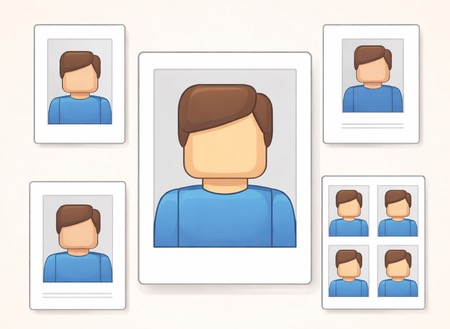
PixID for Photo Studios 2026 — Document Photo Processing for 60+ Countries
Quick answer: PixID gives photo studios automated document photo processing for 60+ countries and 157 document types. Send a client photo, select country and document type, receive a compliant cropped and background-corrected output in seconds — via Telegram bot, email, or Google Drive. Reduces rework and trains new staff faster. Free trial: 30 photos.
The problem PixID solves for studios
Every country has different passport photo requirements. The UK uses light grey background and 35×45 mm. The US uses white and 51×51 mm. Kuwait uses light blue and 40×50 mm. Egypt requires 4×6 cm and 3 prints. UAE visa is 43×55 mm while UAE ID is 35×45 mm.
Keeping track manually — and training every staff member on every rule — is slow and expensive. When a photo is rejected at a government office, the client comes back angry. PixID automates the entire pipeline. Global interoperability standards are defined in ICAO Doc 9303; portals add country-specific rules on top.
What PixID does for your studio
| Feature | What it means in practice |
|---|---|
| Automated crop and alignment | Head size, margins, and framing corrected per country spec |
| Background correction | Replaces any background with the correct colour for the selected document |
| Compliance checks | 100+ biometric checks including head tilt, shadows, expression, eye visibility |
| Photo quality checks | Sharpness, exposure, uneven lighting, face size outside required range |
| 60+ countries, 157 documents | One system covers every document type you encounter |
| Consistent output | New staff produce the same quality as experienced staff on day one |
What you get
Fast, consistent results
Automated crop, alignment, and background according to the selected country/document type.
Fewer reworks
Reduce customer returns and "please redo it" moments caused by mismatched specs.
One standard for your whole team
New staff can deliver the same output quality on day one — no training on dozens of rule PDFs.
Compliance + photo quality checks
PixID doesn't only match formal requirements — we also check photo quality factors that often cause rejections, such as:
- low sharpness / blur
- poor lighting (under/overexposure)
- uneven background / shadows
- incorrect head position / tilt
- face size and top margin outside the required range
Compliance checks on every photo
PixID does not just resize and change the background. The system checks factors that commonly cause government rejections.
- Low sharpness or motion blur
- Under or overexposure
- Uneven background or background shadows
- Head tilt beyond acceptable range
- Face size and top margin outside range for the document
- Eyes open and clearly visible
- Neutral expression
- No glasses (where banned)
- No head coverings (unless religious exception)
- No other person or object in frame
- Correct dimensions for the document
- File size within portal limits (e.g. 240 KB for UAE ICP)
- JPEG format and quality settings
For US visa/passport-style rules, see travel.state.gov — visa photos.
You'll get a result that is not just "edited" — it's prepared to pass.

How it works
Send the photo
Choose country + document type
Receive the processed result
(digital + print-ready if needed)
Workflows we support
Choose what fits your studio:
Telegram bot
Fastest for daily work. Send photos, pick requirements, receive results right in Telegram.
Send photos and requirements by email and receive processed files back.
Google Drive
Drop photos into a shared folder and get processed outputs delivered back to Drive (great for teams and batch work).
Who it's for
Photo studios
Document photo booths
Small chains
And franchises
Visa & relocation agencies
That need consistent document photos
Reduce repetitive design work
A large part of "document photo design" is repetitive: crop rules, background cleanup, and formatting. PixID automates this routine work, which can reduce the need for a dedicated designer role for standard document photo processing — letting your team focus on customer service and volume.
Frequently asked questions
What countries does PixID support for studio processing?
How does the Telegram bot workflow work?
Can PixID process photos for documents that require unusual background colours?
Does PixID alter facial features?
What if a processed photo is rejected by a government office?
How do I start the free trial?
Related guides