Article
The Cost of Free: Why Free Photo Editors Are Actually Expensive
How a free visa photo can cost you flights, a ruined vacation — and months of waiting.
Written by the pixid.studio compliance team, verified against official government and consulate photo requirements as of February 2025. See State Department and ICAO Doc 9303; country-specific requirements for more official links.
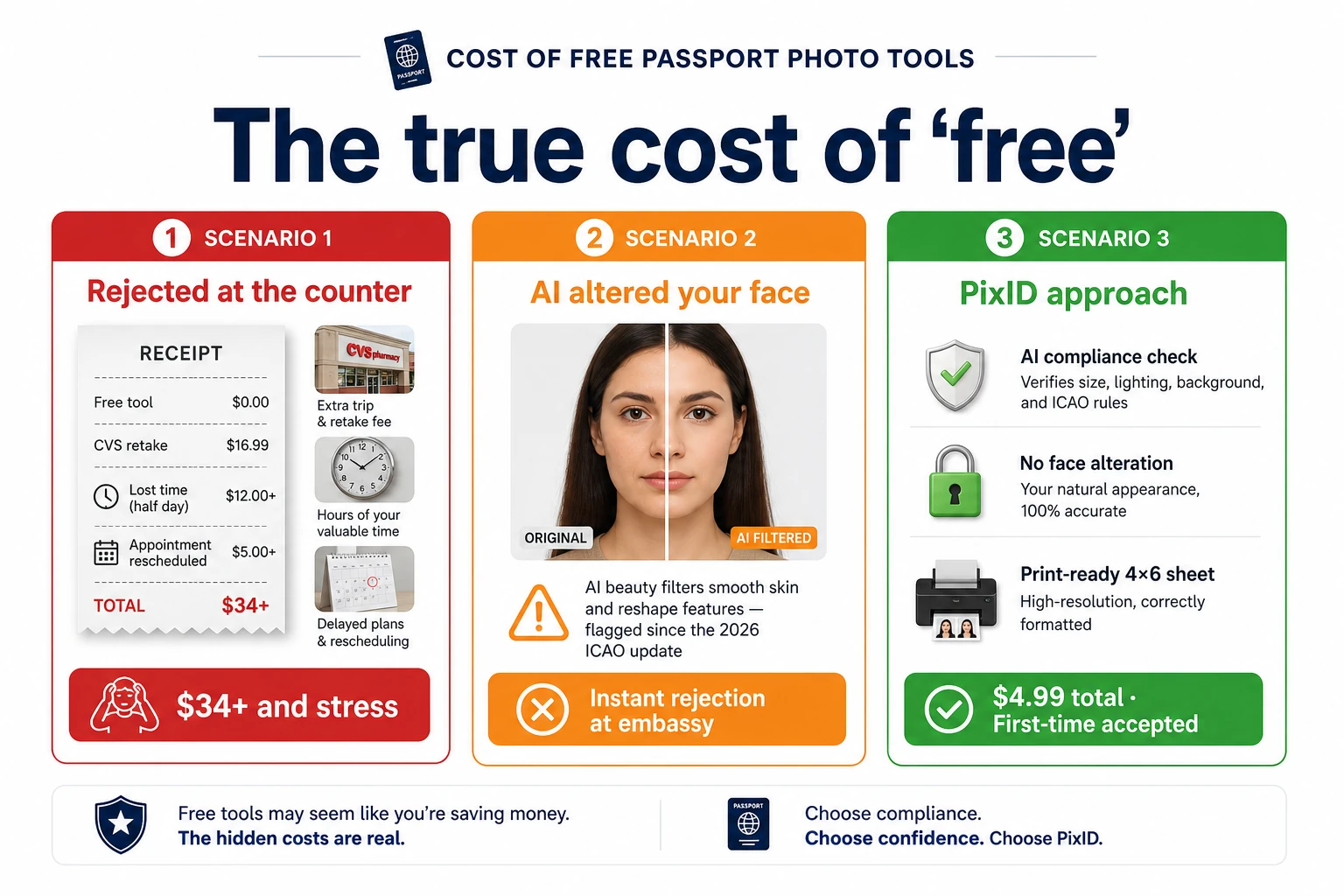
Picture this. You need a visa photo. You find a free AI tool online — it crops your face, swaps the background to white, and spits out a file in seconds. Clean. Easy. Free.
You upload it to your visa application, hit submit, and go back to planning your trip.
Three weeks later, you get an email. Your application has been rejected. The photo doesn't meet the requirements. The background shade was wrong. The face-to-frame ratio was off by a fraction. The shadow under your chin — invisible to your eye — was flagged by the system.
Now you're looking at reprocessing fees, a delayed timeline, and a flight you might have to rebook. All because the tool you used didn't know the difference between a US visa photo and a Japanese one.
That free tool just cost you hundreds of dollars.
The Problem With "Universal" AI Editors
Free photo editors are built on a simple promise: upload a photo, get a result. And on the surface, that promise holds. The AI crops. It removes backgrounds. It resizes.
But here's what it doesn't do: it doesn't know what country you're applying to. It doesn't know whether your passport requires a 35 × 45 mm print or a 2 × 2 inch digital file. It doesn't know that the US demands a white background while certain EU countries accept light grey. It doesn't know that Japan requires the full face oval to be visible, or that India specifies exact ear visibility rules.
These tools operate on a single template. One algorithm. One set of assumptions about what a "correct" ID photo looks like.
The reality is that there are 60+ different sets of photo requirements across the world — and they don't agree with each other. A photo that's perfect for a Canadian passport will be rejected for a Chinese visa. A background that passes for a UK driving licence will fail an Indian passport application.
A universal editor doesn't know any of this. It just guesses.
And when it guesses wrong, you're the one who pays.
What Actually Gets Photos Rejected
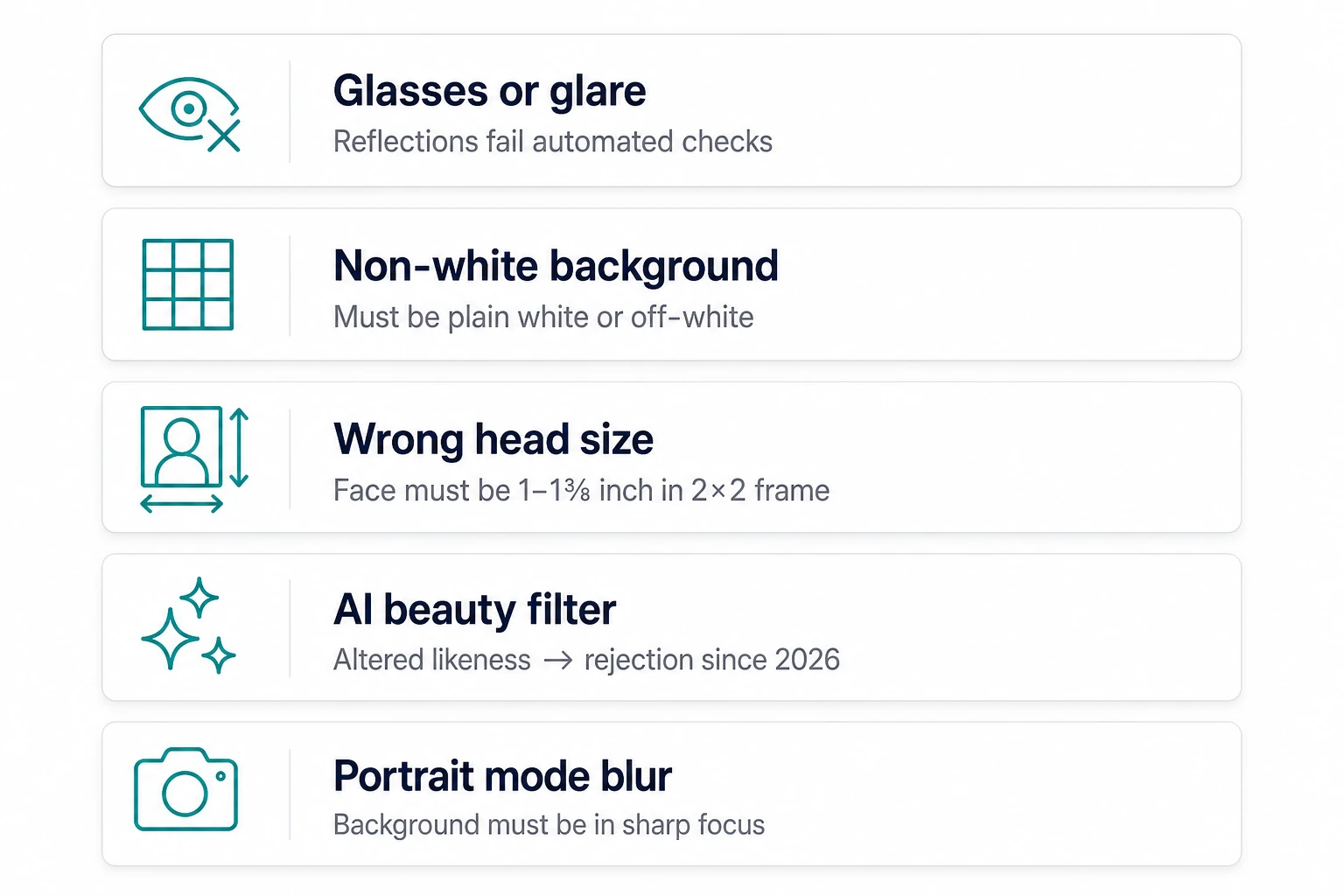
Immigration authorities and document processors don't just glance at your photo. They run it through strict automated checks — and even small deviations trigger a rejection. Here are the most common reasons photos get flagged:
- Incorrect dimensions or face ratio. Each country specifies exactly how large your face should appear within the frame. Too big. Too small. Off-center by a millimeter. Rejected.
- Wrong background color or shade. "White" isn't one color — it's a spectrum. Some countries require pure white (#FFFFFF). Others accept off-white. Others specify light blue. Free editors default to one shade and hope for the best.
- Shadows. A shadow under your chin, across your cheek, or behind your head is an automatic rejection in most countries. Free tools rarely check for this after processing.
- Expression or eye position. Your eyes need to be open, looking directly at the camera, and positioned at a specific height within the frame. A slight downward gaze or half-closed eyelid can fail the check.
- File size and resolution. Online visa applications often require photos between 50KB and 200KB, at a specific pixel resolution. Output the wrong file spec, and the upload system rejects it before a human even sees it.
Free editors handle maybe two of these. pixid.studio checks all of them — before you ever see the final result.
How pixid.studio Checks Before You Submit
We built pixid.studio around one core idea: catch every possible rejection reason before the photo leaves our platform. We call this rejection-focused verification.
Here's what happens when you upload a photo:
- Country and document match. You select your country and document type. Our system loads the exact specification set for that document — not a generic template. A US passport. A Singapore employment pass. A Japanese tourist visa. Each one has its own rules, and we apply the right ones.
- Spec-aware cropping and processing. PixID crops and resizes your photo specifically to match the dimensions required by your chosen document. Face ratio, head position, shoulder inclusion — all calculated against the official requirements.
- Background correction. We remove your background and replace it with the exact shade required. Not just white. The correct white — or blue, or grey — depending on what your document demands.
- Rejection-focused compliance scan. Before your photo is finalised, our system runs it through a full checklist: shadows, expression, eye position, face dimensions, background uniformity, file size, and resolution. If anything doesn't pass, we flag it and ask you to retake — before you waste time on an application.
- Final output. You receive a file that's ready to submit. Print-ready or digital, depending on what your application requires.
No guessing. No hoping. No surprises at the immigration office.
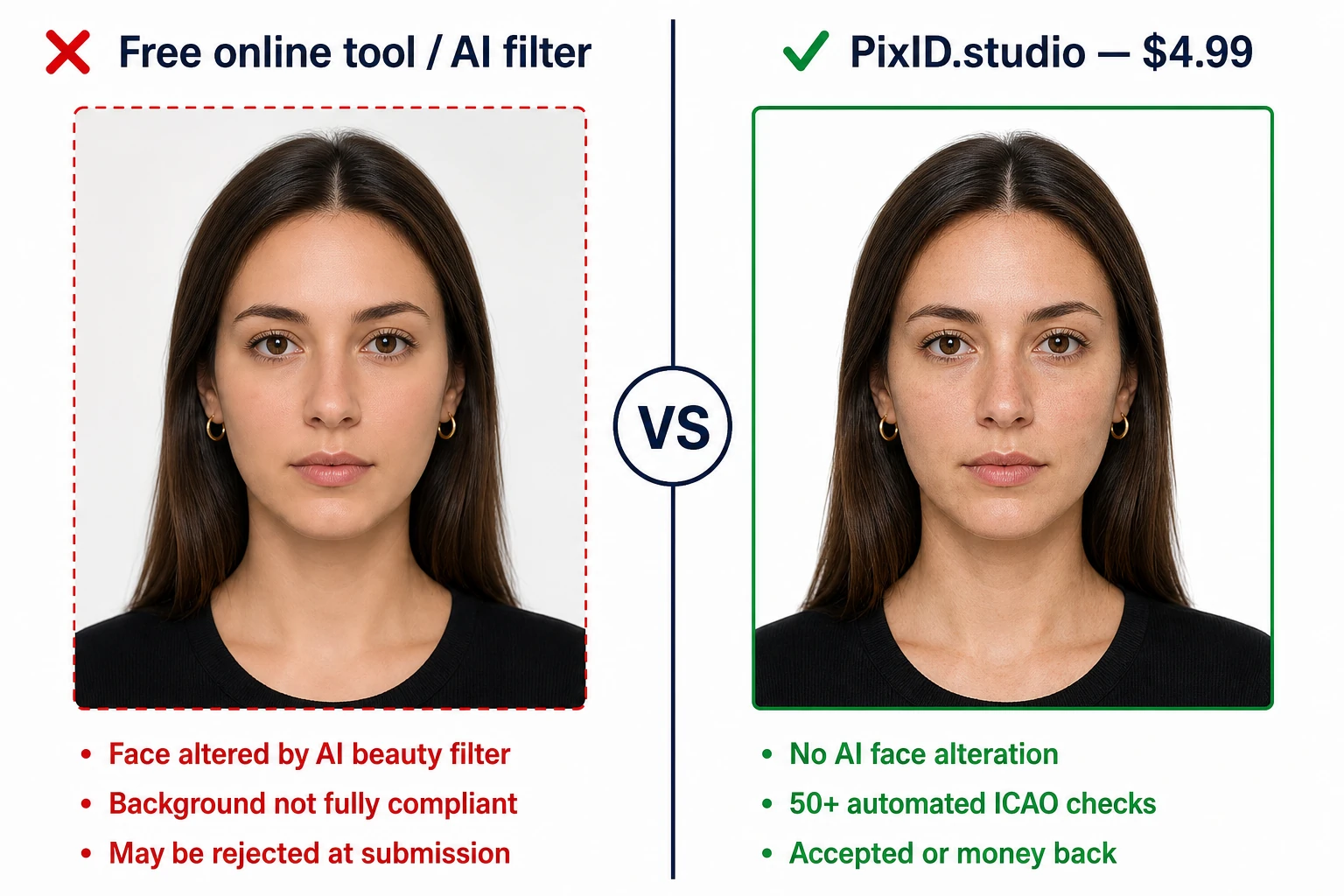
Free vs. pixid.studio: A Direct Comparison
| What matters | Free AI editors | pixid.studio |
|---|---|---|
| Country-specific specs | ✗ One-size-fits-all template | ✓ 60+ country databases |
| Background accuracy | ✗ Generic white | ✓ Exact shade per document |
| Shadow detection | ✗ Rarely checked | ✓ Scanned before output |
| Face ratio compliance | ✗ Approximate | ✓ Spec-matched to the millimeter |
| File size / resolution | ✗ Default output | ✓ Matches application requirements |
| Rejection risk | High (no spec engine) | Lower — 100+ checks + guarantee if rejected |
| Cost if rejected | Reprocessing fees + rebooking | $0 — free redo, guaranteed |
The pixid.studio Guarantee: Free Redo If Rejected
We don't just say our photos are compliant — we back it up.
If you submit a photo prepared by pixid.studio and it gets rejected by the issuing authority, we will redo your photo at no charge. No questions. No hoops. Just send us the rejection notice, and we fix it.
This is what confidence in your own product looks like. And it's something no free tool can offer — because free tools have no stake in whether your application succeeds or fails.
We do.
60+ Countries. From Argentina to Japan.
pixid.studio supports document photos for 60+ countries and territories worldwide. That includes:
- US passport, visa, and green card photos
- UK passport and driving licence photos
- UAE Emirates ID and visa photos
- Canadian passport photos (with their unique 50 × 70 mm format)
- Japanese passport and tourist visa photos
- Indian passport and e-visa photos
- Argentine passport photos
- And dozens more — updated regularly as requirements change
No matter where you're applying, no matter what document you need, the chances are we already have the exact spec loaded and ready.
If we don't — tell us. We'll add it.
Dig deeper by country: Canada passport photo · Japan · India · China · Australia · UK. Technical detail: what “100+ checks” means. Retail pricing context: cheapest passport photo comparison.
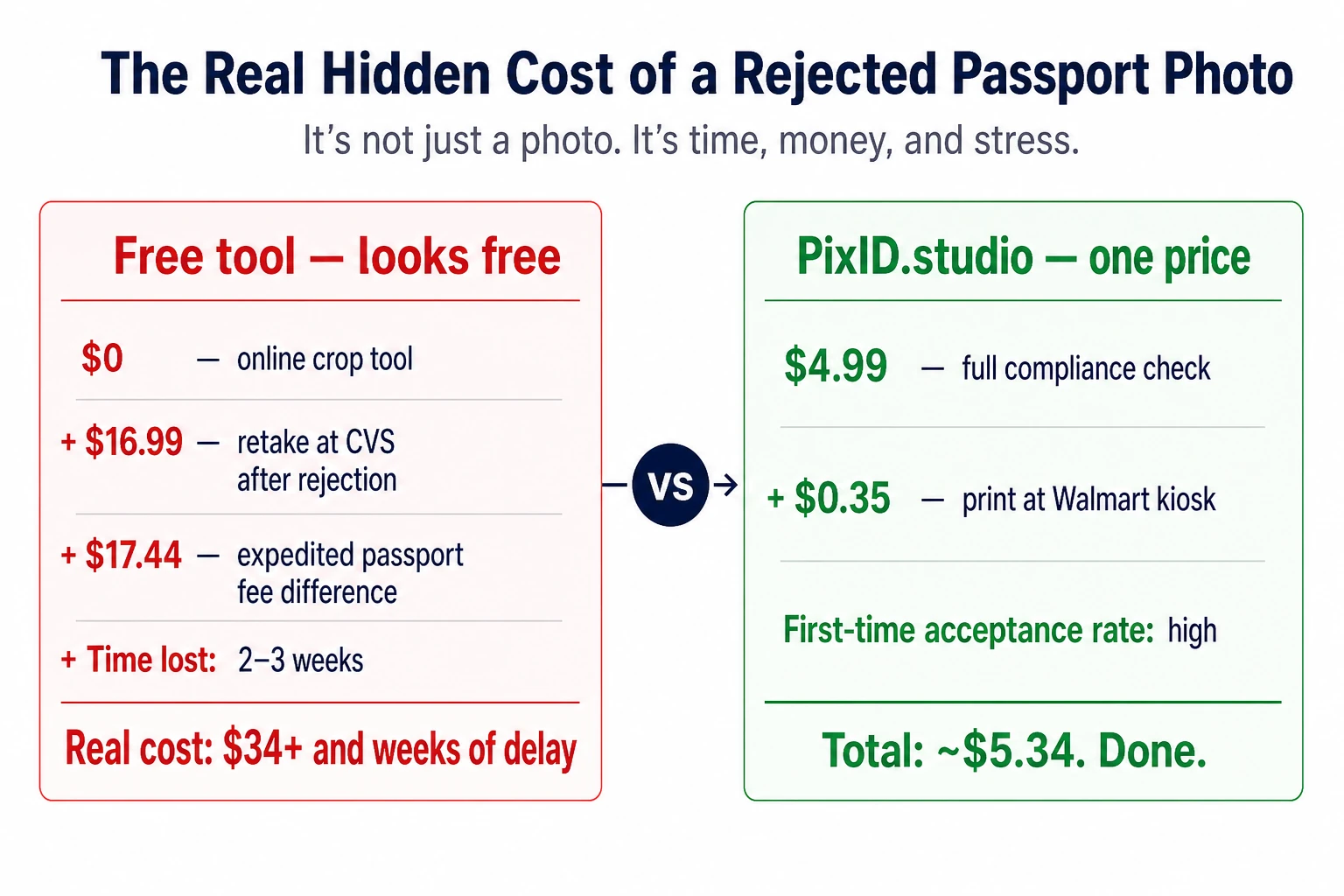
The Real Cost of Free
A free photo editor costs $0 upfront. But if it gets your application rejected, the real cost looks like this:
- Reprocessing or reapplication fee: $20–$160
- Rebooking flights (if time-sensitive): $150–$500+
- Lost hotel or accommodation deposits: $100–$300+
- Stress, delays, and rescheduling: priceless
A pixid.studio photo costs a few dollars. And it comes with a guarantee that your application won't be rejected over a photo.
The math isn't complicated. Free isn't always free. Sometimes it's the most expensive option in the room.
Ready to get your compliant photo?
Choose your country and document type, then upload your photo. We'll handle cropping, background, and compliance.
Choose document & get photo →