Country guide · Last verified: August 13, 2026
Canada Passport Photo Size: 50×70 mm (2×2¾ in)
Quick answer: Print size is 50×70 mm (2 × 2¾ inches), plain white background, head 31–36 mm, no glasses, within 6 months. IRCC bans appearance-changing edits and home printing for passport applications.
IRCC photographer rule: Passport photos must be taken by a commercial photographer. IRCC rejects photos altered with software, filters, or AI. A PixID crop checks 50×70 mm geometry — it is not an IRCC-accepted passport sitting and does not replace a studio photographer’s stamp.
If you only need a sized JPEG for a portal that allows digital upload, PixID ($4.99) can crop without changing your face. Then print only at a professional lab if the application asks for prints.
Written by the pixid.studio compliance team, verified against IRCC photo specifications as of August 2026.
Quick reference
| Document | Size | Background | Resolution | Photos |
|---|---|---|---|---|
| Passport | 50×70 mm | White | 600 DPI | 2 |
| PR Card | 50×70 mm | White | 600 DPI | 2 |
| Citizenship | 50×70 mm | White | 600 DPI | 2 |
| Visa / Work / Study permit | 50×70 mm | White | 300 DPI | 2 |
Home printing not accepted
Canada.ca explicitly states: "We don't accept photos printed at home or on heavyweight paper." You must have your photo printed at a professional photo lab (pharmacy, photo studio, Canada Post). See our home printing guide — note that Canada is an exception; see print at retail for where to get professional prints.
AI and photo editing — Canada's strictest rules
Canada.ca states: "The photo must not be altered in any way. Altering includes using photo-editing software, filters, or AI tools. We will reject your application if the photo has been altered in any way." Canada has the most aggressive stance on AI editing among all countries. PixID does background replacement (removing clutter, setting white) and cropping/resizing to specs — it does not alter facial features, skin, or expression. If you're concerned, take a photo against a white wall with no editing. Our tool is designed for compliance (size, head position, background) not beautification. See what we check.
Photo size and dimensions
Canadian passport, PR card, visa, and citizenship photos use a larger format than most countries:
- Size: 50×70 mm (width × height)
- Resolution: 600 DPI required for passport and PR; 300 DPI may be accepted for some visa types — check the application guide.
- Format: JPEG. Plain background, no borders.
This 50×70 mm size is specific to Canada — do not use 35×45 mm or 2×2 inch for Canadian passport or PR applications.
Head height and position
IRCC (Immigration, Refugees and Citizenship Canada) specifies exact head dimensions. Wrong head size is a leading cause of rejection.
- Head height: From the bottom of the chin to the crown of the head (including hair) must be between 31 mm and 36 mm in the 70 mm tall photo. The face must be centered.
- Face position: Face the camera directly. Both ears visible. No tilt. Shoulders can be visible but the focus is on the face.
- Eyes: Open, clearly visible, looking at the camera.
Glasses
Glasses are not allowed for Canadian passport and PR card photos. You must remove them. IRCC requires full visibility of the eyes without obstructions or glare. Contact lenses are allowed. Remove glasses before taking the photo to avoid rejection.
Background
Background must be plain white. No grey, no off-white, no patterns or shadows. This is strictly enforced for passport and PR. Some provincial driver's licence photos may allow light grey — check your province; for federal documents use white only.
Expression and appearance
- Expression: Neutral, mouth closed. No smile, no frown.
- Clothing: Avoid white clothing — Canada.ca warns it can blend into the white background and cause rejection.
- Headwear: No hats or caps. Religious headwear is allowed only if the full face is visible from forehead to chin and both ears are visible; no shadows on the face.
- Recency: Photo must be taken within the last 6 months and reflect your current appearance.
Guarantor signature — new passport applications
For new passport applications (not renewals), Canada requires a guarantor to sign the back of one photo and the photographer to stamp or write their name, address, and date on the back. This is Canada-specific and affects a large portion of applicants.
PixID gives you a digital file, not a stamped print. For a Canadian passport, IRCC still expects a commercial photographer. If you use a PixID-sized file: print at a photo lab (not at home), then have a photographer and guarantor sign/stamp the back where required. Do not treat an online crop as a finished IRCC passport photo.
Photographer stamp on the back
For printed submissions, the photographer must stamp or write their name, address, and the date the photo was taken on the back of the photo. Full-service labs (Shoppers Drug Mart, London Drugs, Walmart Photo Centre) usually add this when they print. If you use a self-serve kiosk, add the stamp or handwriting yourself — IRCC still expects photographer details on the print.
Online passport renewal — digital photo specs
Canada launched online passport renewal. Digital photo requirements for online renewal differ from print:
- Format: JPEG or JPG only
- Source: Must be saved directly from the camera original — no scanned copies of prints
- Editing: No editing of any kind (aligns with Canada's AI ban — see above)
- Specs: Same 50×70 mm proportions, head 31–36 mm, white background, no glasses, taken within 6 months
Application slots reset twice daily
IRCC's online renewal system resets application slots at 7:00 am and 7:00 pm Eastern daily. Spots fill up quickly. If you don't see availability, try again at the next reset time. canada.ca — renew adult passport
PR card photo
PR (Permanent Resident) card uses the same 50×70 mm specs as passport — head 31–36 mm, white background, no glasses, 6 months recency. Submission is via the IRCC portal as a digital upload, not physical prints. Many residents confuse passport and PR requirements; they are the same for the photo itself. Create your compliant photo, then upload it when the portal prompts you.
Provincial driver's licence
Driver's licence photos vary by province. Main rules: Ontario — 50×70 mm or 35×45 mm depending on service type, white or light grey background; BC — ICBC specifies 50×70 mm, white background; Quebec — SAAQ uses 50×70 mm, white; Alberta — 50×70 mm, white. Check your province's motor vehicle authority for the exact requirement. Federal passport and PR always use 50×70 mm white.
Child passport photos
Canada has specific rules for children. Infants and toddlers do not need to look at the camera — eyes can be closed or looking away. No dummy or comforter visible in the mouth. No other person (including hands) visible in the frame. Child must be alone against the white background. Children's photos can be in colour or black and white (unusual — Canada is one of the few that allows B&W for children). Same 50×70 mm size, head 31–36 mm. See IRCC photo specifications for full child guidance.
Canadians applying from the United States
Canada.ca has a dedicated page for Canadians abroad. Passport photo requirements in the US are different than in Canada. If you're in the US applying for a Canadian passport, use Canadian specs (50×70 mm, white background, head 31–36 mm) — not US 2×2 inch. US photo shops (CVS, Walgreens) often default to US size; specify 50×70 mm or use PixID and have it printed on professional photo paper at a lab. No home printing.
Documents that use 50×70 mm
Same 50×70 mm (and 600 DPI for federal) requirements apply to: Canadian Passport, PR Card (Permanent Resident), Citizenship application, and most Canadian visa and work/study permit photos.
Common mistakes that cause rejection
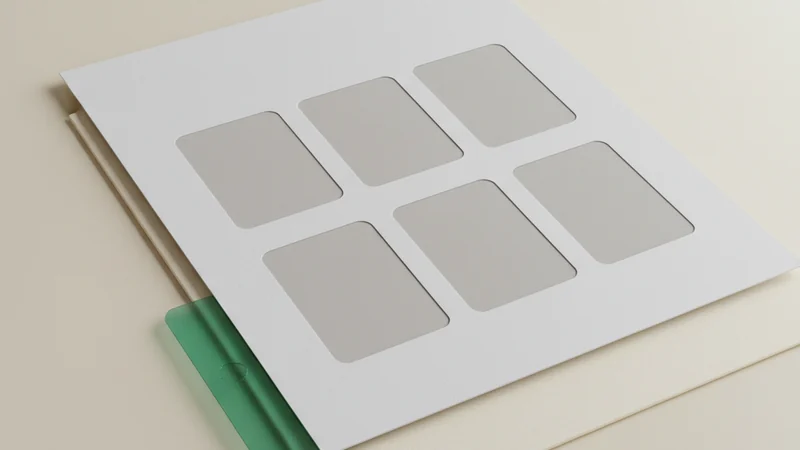
Avoid these — PixID checks for them automatically when you create your photo.
- Wrong size (e.g. 35×45 mm instead of 50×70 mm)
- Head too small or too large (outside 31–36 mm)
- Wearing glasses
- Non-white background (grey or off-white)
- White clothing (blends into background — Canada.ca rejects)
- Smiling or non-neutral expression
- Shadows on face or background
- Home-printed photo (Canada does not accept)
- AI or photo editing detected (Canada bans all alteration)
- Insufficient resolution (use 600 DPI for passport/PR)
Official source: cic.gc.ca. Always confirm latest requirements.
Frequently asked questions
- What size is a Canadian passport photo?
- 50×70 mm. Head height 31–36 mm from chin to crown. White background, no glasses. Same specs for passport, PR card, visa, and citizenship.
- What is Canada passport photo size in inches?
- 50×70 mm is 2 inches wide by 2¾ inches high. Head height 31–36 mm is about 1¼–1⁷⁄₁₆ inches chin to crown. Tell the lab millimetres if they default to US 2×2.
- What background colour for Canadian passport photo?
- Plain white only. No grey, off-white, or patterns. Canada strictly enforces white for federal documents.
- Can I print Canadian passport photos at home?
- No. Canada.ca explicitly states: "We don't accept photos printed at home or on heavyweight paper." You must use a professional photo lab. See our print-at-retail guide or London Drugs passport photo prices.
- Can I use an AI tool to create a Canadian passport photo?
- Canada bans photo alteration that changes your appearance — including filters and AI tools. PixID checks and crops to IRCC specs and does not alter your face. If you are unsure, retake against a white wall with no editing.
- What is a guarantor and do I need one for passport photos?
- For new passport applications (not renewals), a guarantor must sign the back of one photo and the photographer must stamp name, address, and date. PixID gives a digital file — print it at a photo lab, then take the prints to your guarantor and photographer to sign and stamp.
- What are the digital photo requirements for Canadian online renewal?
- JPEG/JPG only, saved directly from camera — no scanned prints, no editing. Same specs: 50×70 mm proportions, head 31–36 mm, white background, no glasses, taken within 6 months. Application slots reset at 7am and 7pm Eastern daily.
- Can I use the same photo for passport and PR card?
- Yes. Both use the same 50×70 mm specs — head 31–36 mm, white background, no glasses, 6 months recency. PR card is submitted digitally via the IRCC portal.
- How recent must a Canadian passport photo be?
- Within the last 6 months. The photo must reflect your current appearance. Canada is less strict than the UK (1 month) but still requires recent photos.
Permanent residence and citizenship in Canada usually mean a knowledge test later. Sister site UniPrep2Go publishes Canadian citizenship practice test and citizenship Anki flashcards — free practice before the official test.
IRCC passport prints still need a commercial photographer in person
Need a 50×70 mm crop for a digital portal?
PixID sizes to 50×70 mm and checks head/background. It does not replace an IRCC studio sitting or photographer stamp.
Compliance engine aligned with ICAO Doc 9303 and ISO/IEC 19794-5 — not a beauty filter.
Get My Photo — $4.99